Ping monitoring
Enable ping monitoring per host and see green up-arrows or red down-arrows in the target tree. Hover for the latest response time, and configure the polling interval, timeout, and TTL in settings.
RabbitMon
Discover hosts, track availability, and explore performance history alongside your remote connections in the RabbitMon desktop application.
Compare plans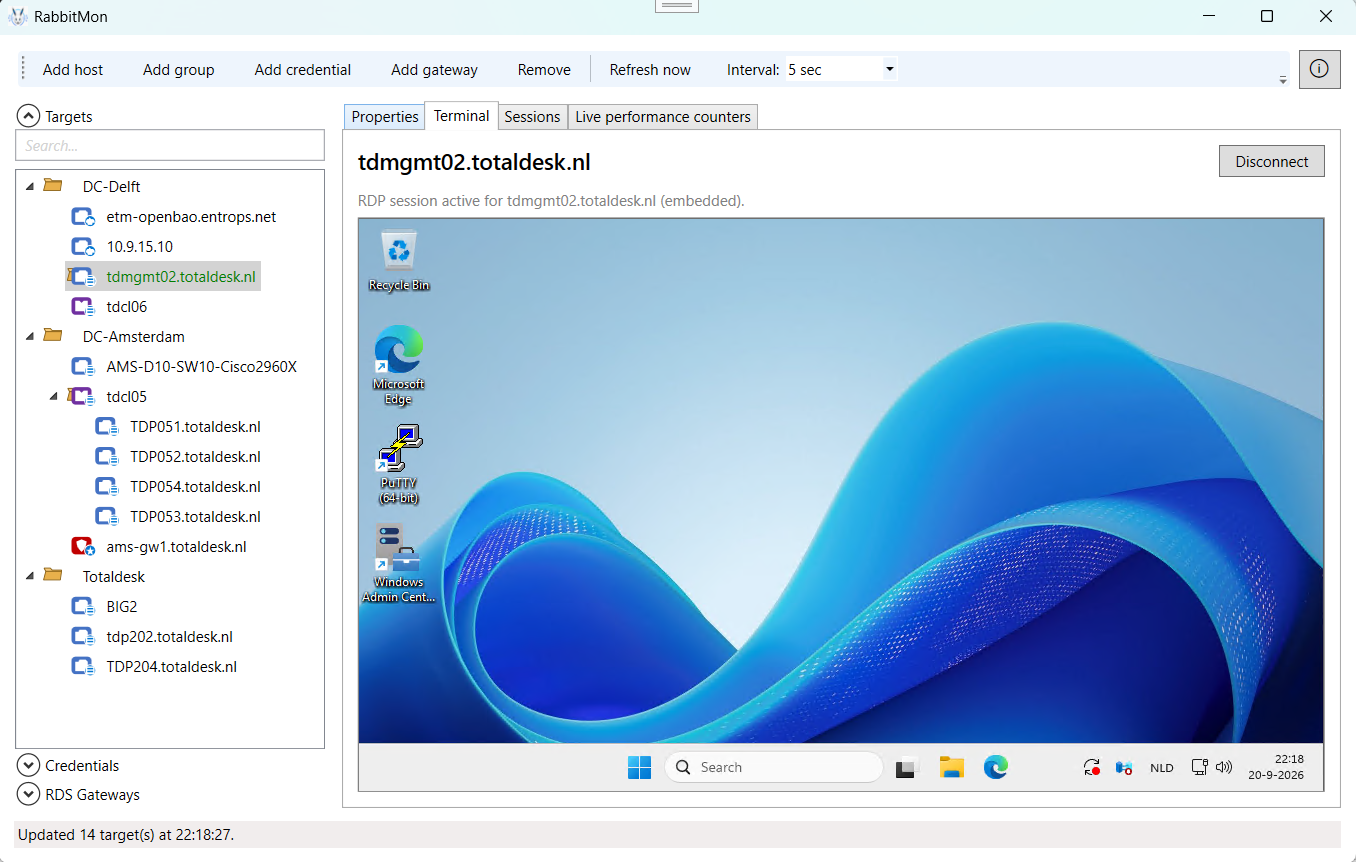
Discovery and monitoring
New tools in the RabbitMon Windows desktop application help you organize your network and keep track of the systems that matter.
Enable ping monitoring per host and see green up-arrows or red down-arrows in the target tree. Hover for the latest response time, and configure the polling interval, timeout, and TTL in settings.
Enable live performance counters independently of ping monitoring for each host. Disable them to hide the live performance tab and keep your workspace focused.
Find hosts with enabled monitors in a compact, sortable grid. Search by target name, hostname or IP address, or monitor type, then select a target to explore its history.
Review recorded ping results and performance snapshots in a per-target history grid. History is stored locally in SQLite, separate from your KeePass credential vault, with configurable retention.
Switch to the ping latency graph to inspect response times and failed checks. Gaps in sampling remain visible rather than being drawn as continuous connectivity.
Organize networks in recognizable subnet folders and add discovered active IP addresses as hosts. Resolve hostnames where available and collect MAC addresses from local-segment neighbor information.
IPv4 scans support /20 or narrower ranges. Large IPv6 ranges use neighbor and known-address discovery, not exhaustive scanning. ICMP-blocked hosts may be missed; VLAN detection is not currently available.
Work together using a shared database with RabbitMon Enterprise.
The central agent maintains the shared database and offloads monitoring and subnet scanning from local clients.
About RabbitMon
RabbitMon brings password management, remote desktop, gateway, terminal, web, session, and system health tools together in one focused management application for administrators.
Fast and versatile, RabbitMon works with Windows, Linux, macOS, FreeBSD, and many other platforms.
RabbitMon includes a strongly encrypted credential vault based on the open KeePass KDBX format. Securely store credentials and passwords, encrypted system information, SSH keys, API tokens, and network credentials in one place.
Simple licensing
Start with the essentials or unlock the complete RabbitMon experience for your organization.
Pro and Enterprise purchases include a 30-day money-back policy after activation.
Licenses are per device, not per user. Free allows one device; paid quantity sets the number of licensed devices. Same-device reactivation does not consume another slot.
You can deactivate your old device in RabbitMon's About window immediately and reactivate the same PC without waiting while its slot is reserved. Only moving the slot to a different PC requires 90 days from the previous PC's last activation. If the old device is lost, contact support to deactivate it. Existing offline tokens remain valid until expiry.
Free
Good for all the basic features in one package. Registration is required. A practical way to explore RabbitMon for smaller environments.
Register for FreePro
With annual payment: €60.00 per device/year. Excluding VAT.
Or €6.00 per device/month with monthly payment.
Paid licensing with the latest updates and email support.
Register for ProEnterprise
With annual payment: €180.00 per device/year. Excluding VAT.
Or €16.50 per device/month with monthly payment.
Everything in Pro, full Hyper-V and Proxmox cluster support, multiuser access to a shared database, central agent usage, and extended email and phone support.
Register for Enterprise| Feature | Free | Pro | Enterprise |
|---|---|---|---|
| Subnet scanning | Included | Included | Included |
| Ping monitoring | Included | Included | Included |
| Multiuser access (shared database) | Not included | Not included | Included |
| Central agent | Not included | Not included | Maintains the shared database and offloads monitoring and subnet scanning from local clients |
| Registration | Required | Professional license | Enterprise license |
| Product updates | Less frequent updates | Always the latest updates | Always the latest updates |
| RDP/RDS support | Included | Included | Included |
| RDS Gateway support | Included | Included | Included |
| SSH terminal | Included | Included | Included |
| HTTP(S) support | Included | Included | Included |
| System session management | Included | Included | Included |
| Extended system counters and health | Included | Included | Included |
| Email support | Not included | Included | Extended email support |
| Phone support | Not included | Not included | Extended phone support |
| Cluster support | Not included | Included | Full Hyper-V and Proxmox cluster support |
| Hyper-V support | Included | Included | Included |
| ProxMox VE support | Included | Included | Included |
| Enterprise features | Not included | Included | Included |